Configuring Blocker
Configuring Blocker Permissions
Blocker needs three permissions from your Andoid Device to work properly: Contacts, Caller ID and unrestricted Battery usage.
Contacts Permission
Blocker uses contacts permissions to handle the incoming call. The calling number is compared with your Phone Book to see if it is a Favorite number, a regular Contact in your Phone Book or if it is Unknown.
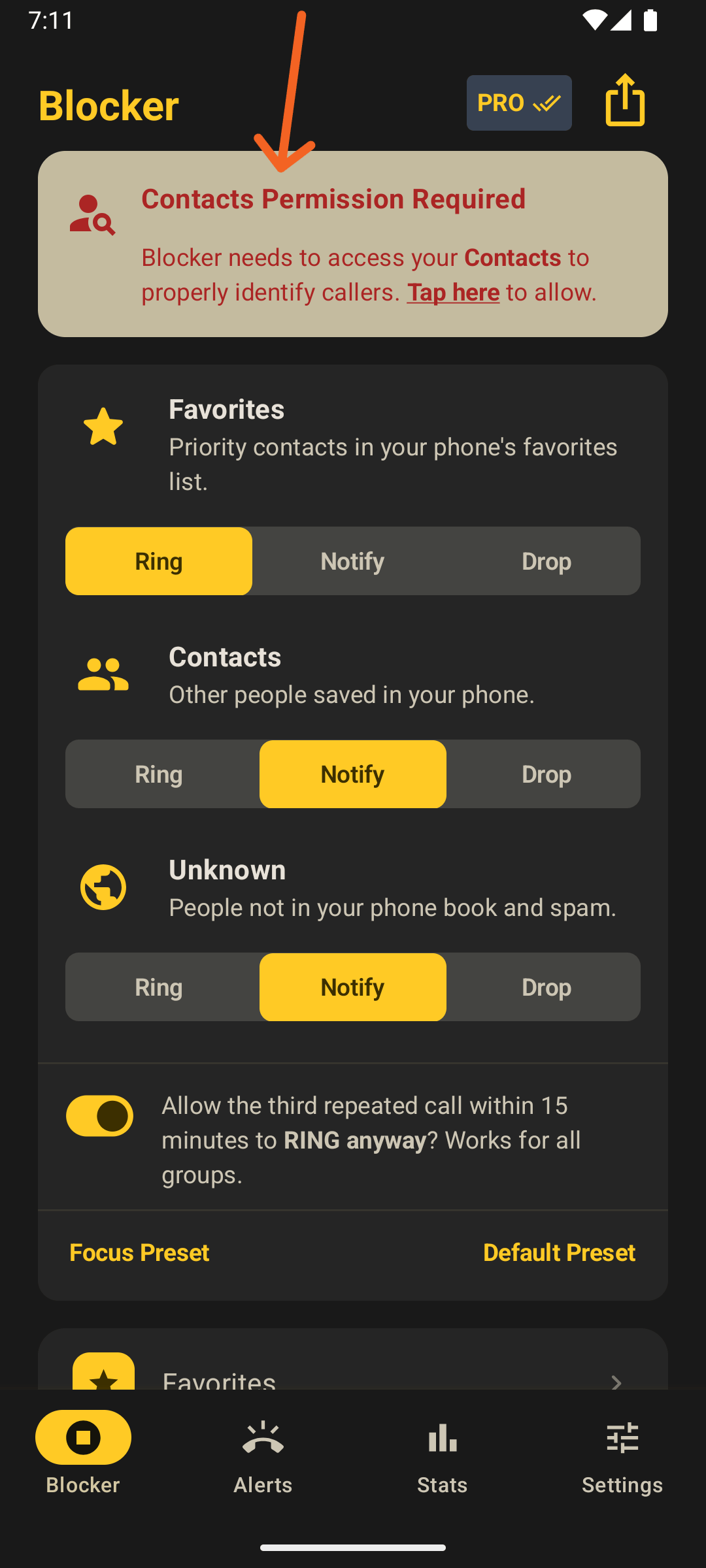
When Blocker runs, it asks for the Contacts Permission with a top alert banner. Click that banner and Andoid will ask you to allow that.
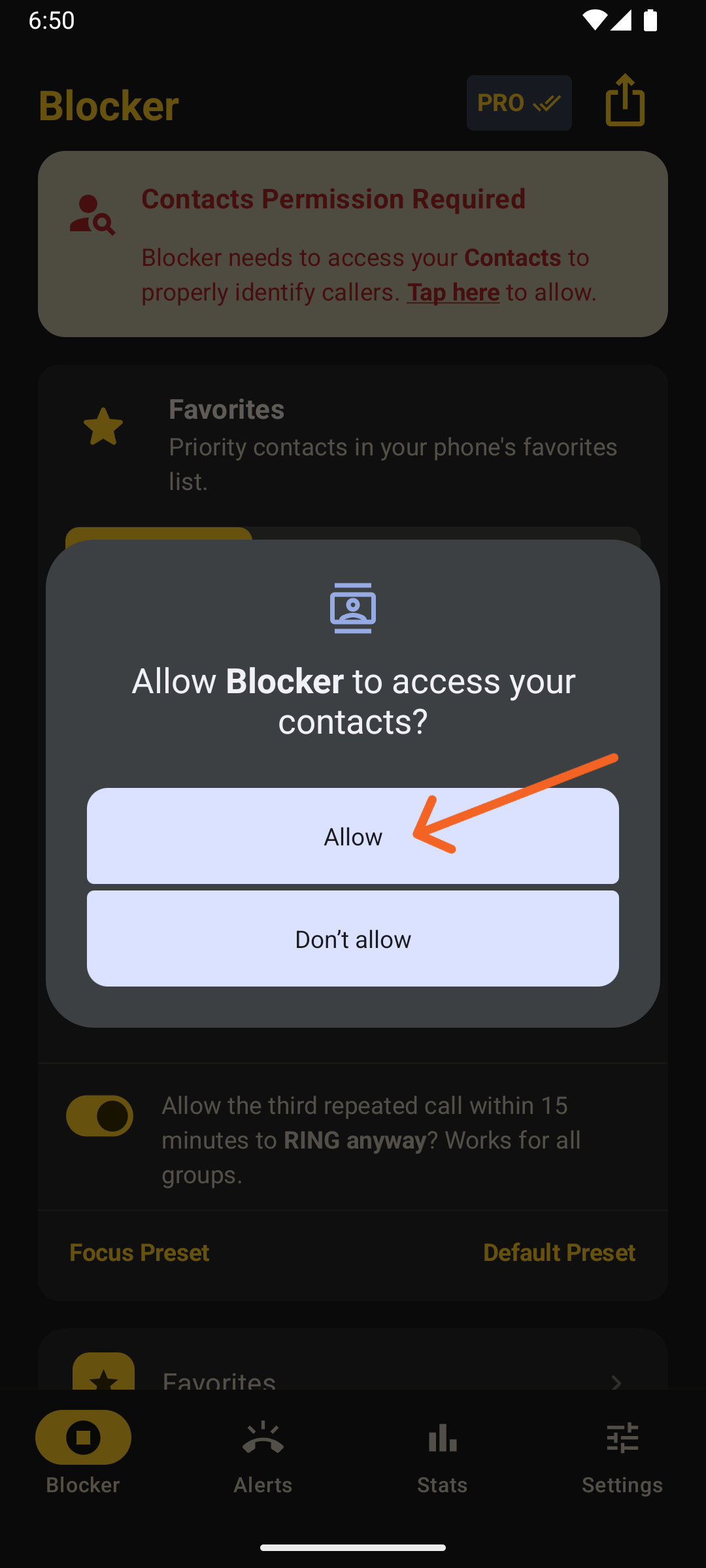
If you accidentally deny, follow the Manually allowing Contacts Permission section.
Setting Blocker as device's Caller ID and Antispam App
Blocker needs to be your device's Caller ID and Antispam App to be allowed to handle incoming calls.
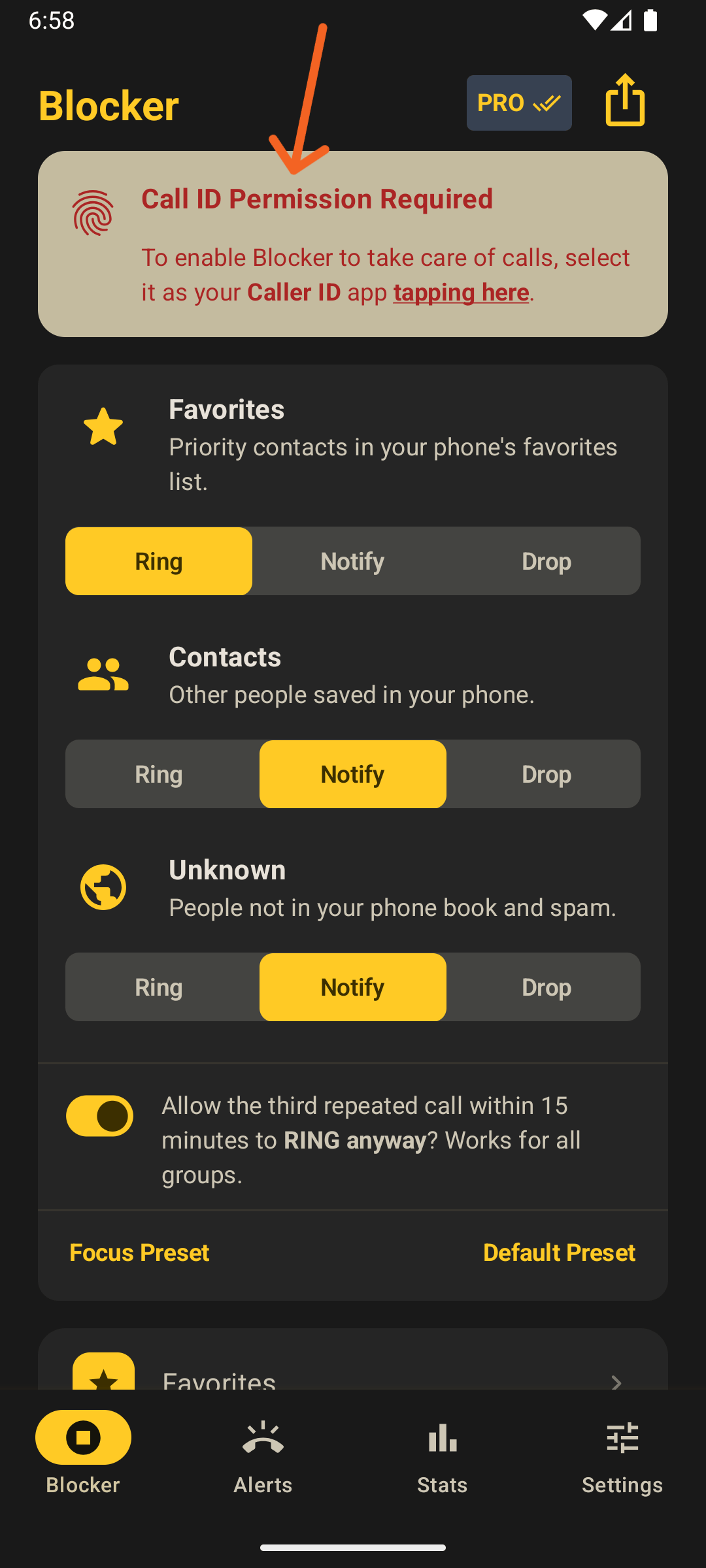
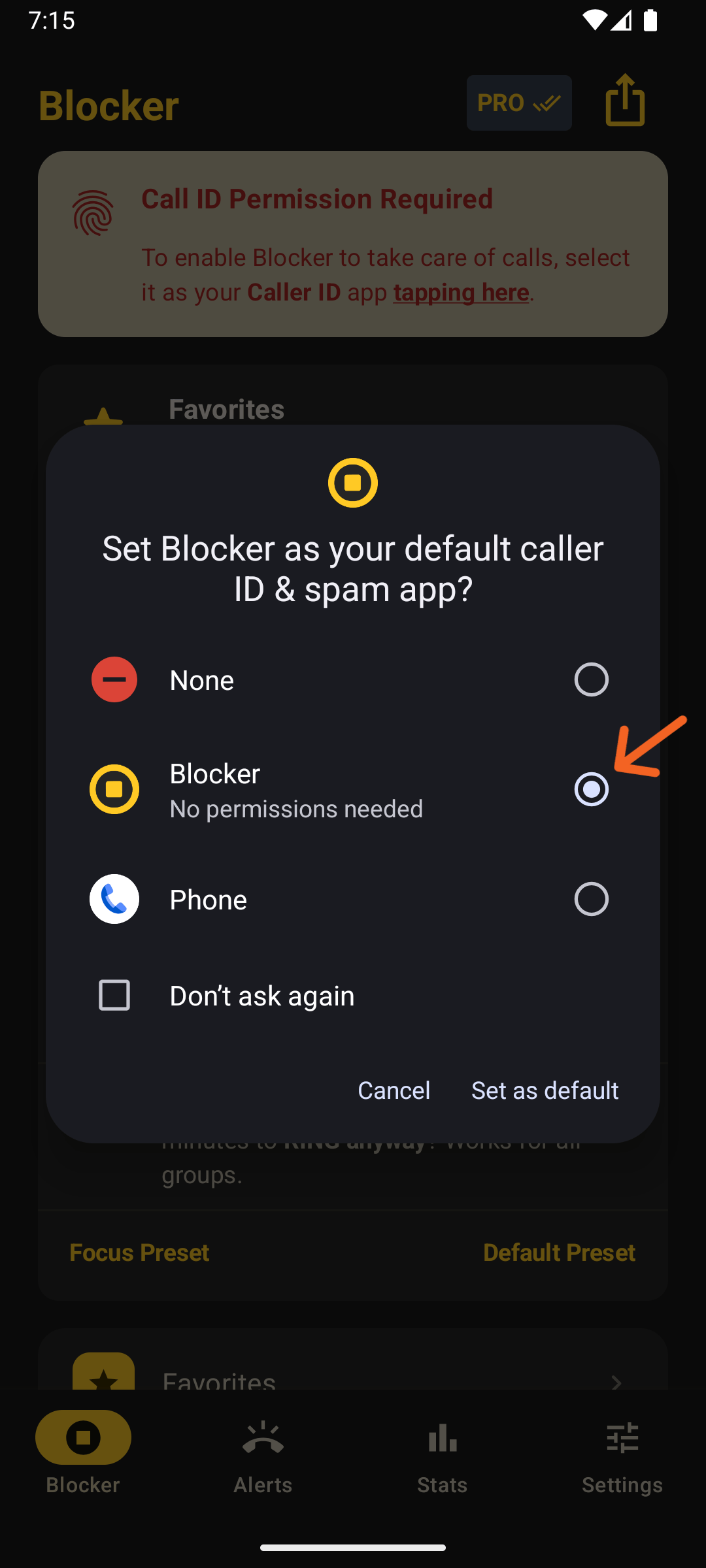
Under the hood, that will allow a tiny and fast native-coded Blocker internal service to be called by the Android System. This service will do its magic based on the rules and sounds you configured in Blocker.
No data is collected. Check our Privacy Policy.
Unrestricted Battery Usage
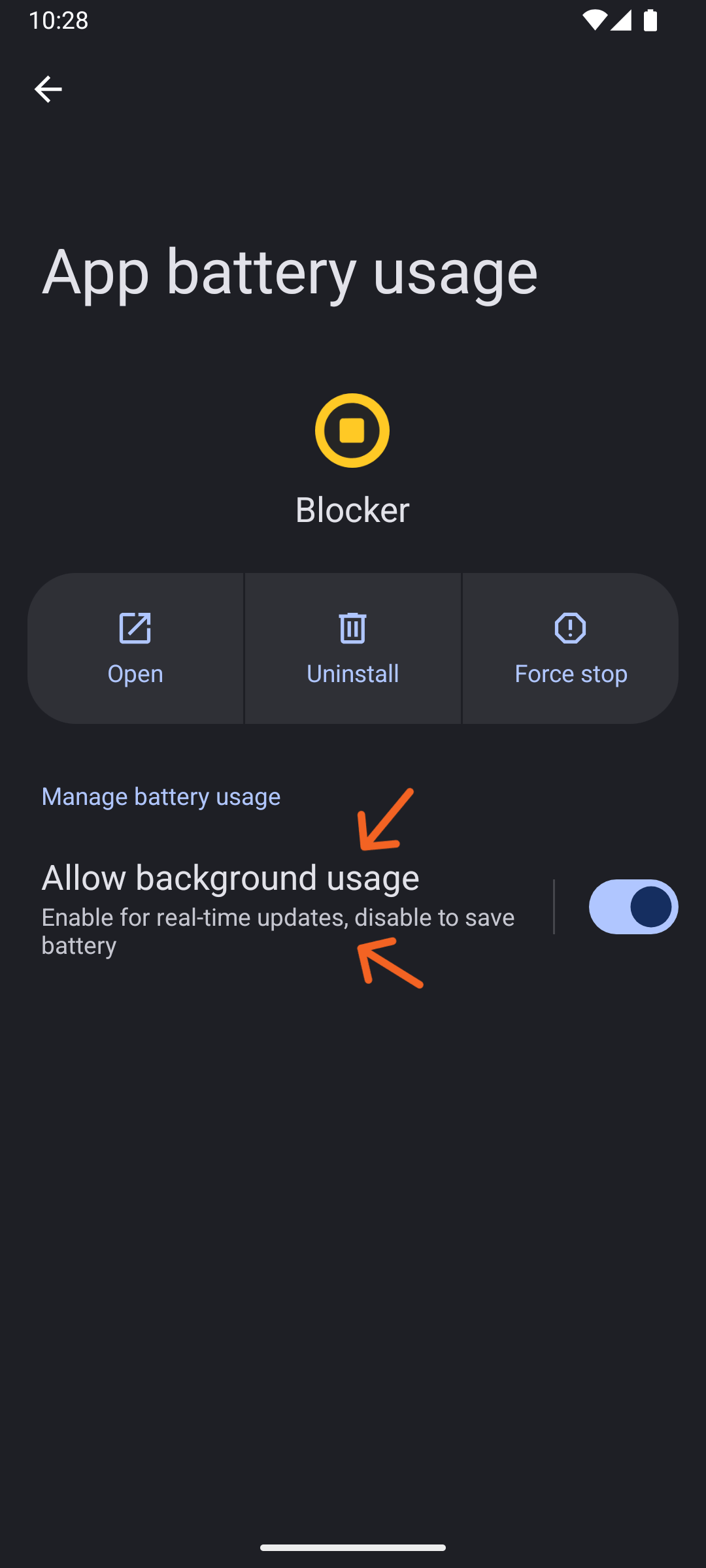
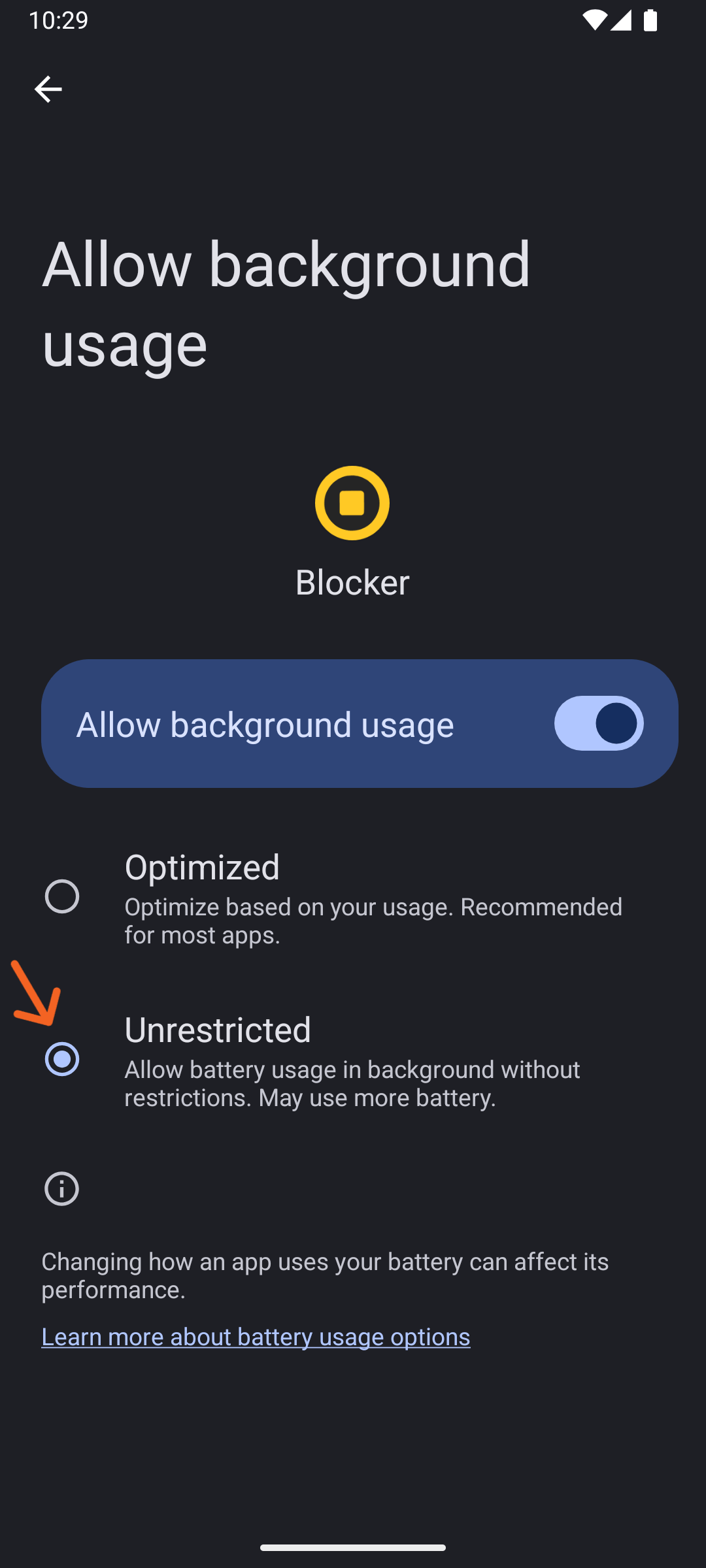
To ensure the Blocker service launches correctly in the background to handle incoming calls, you need to manually allow unrestricted battery usage for the app.
Blocker won't drain your battery. It will just gain execution priority on Android.
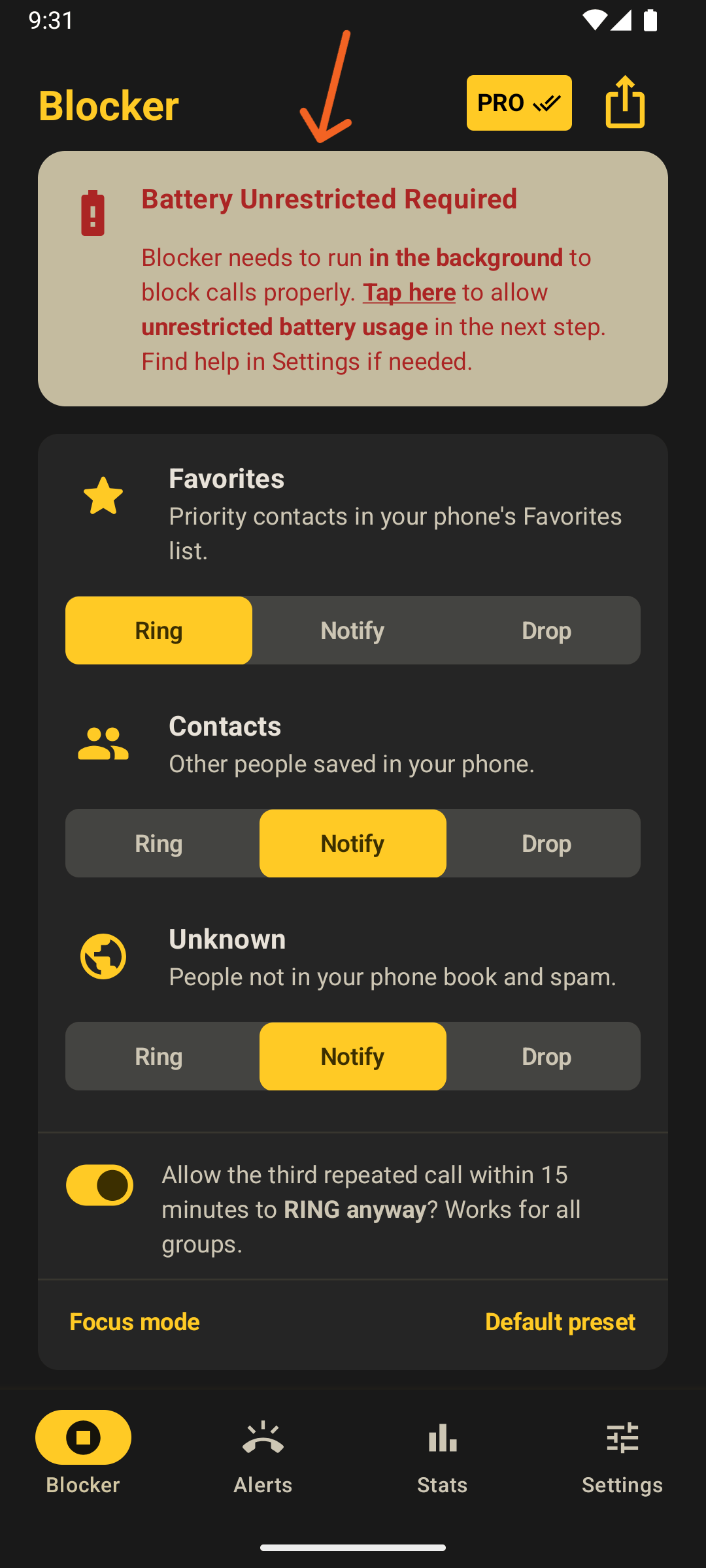
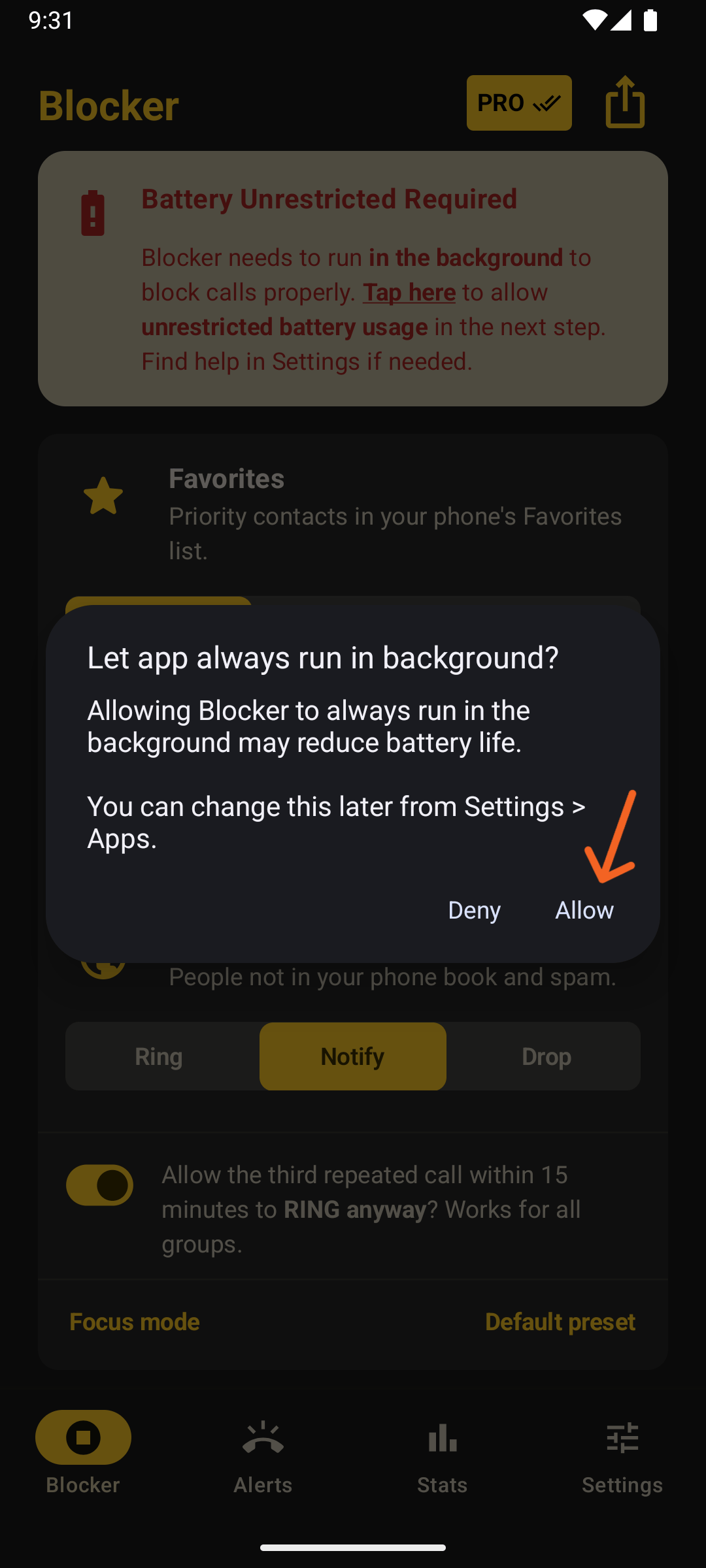
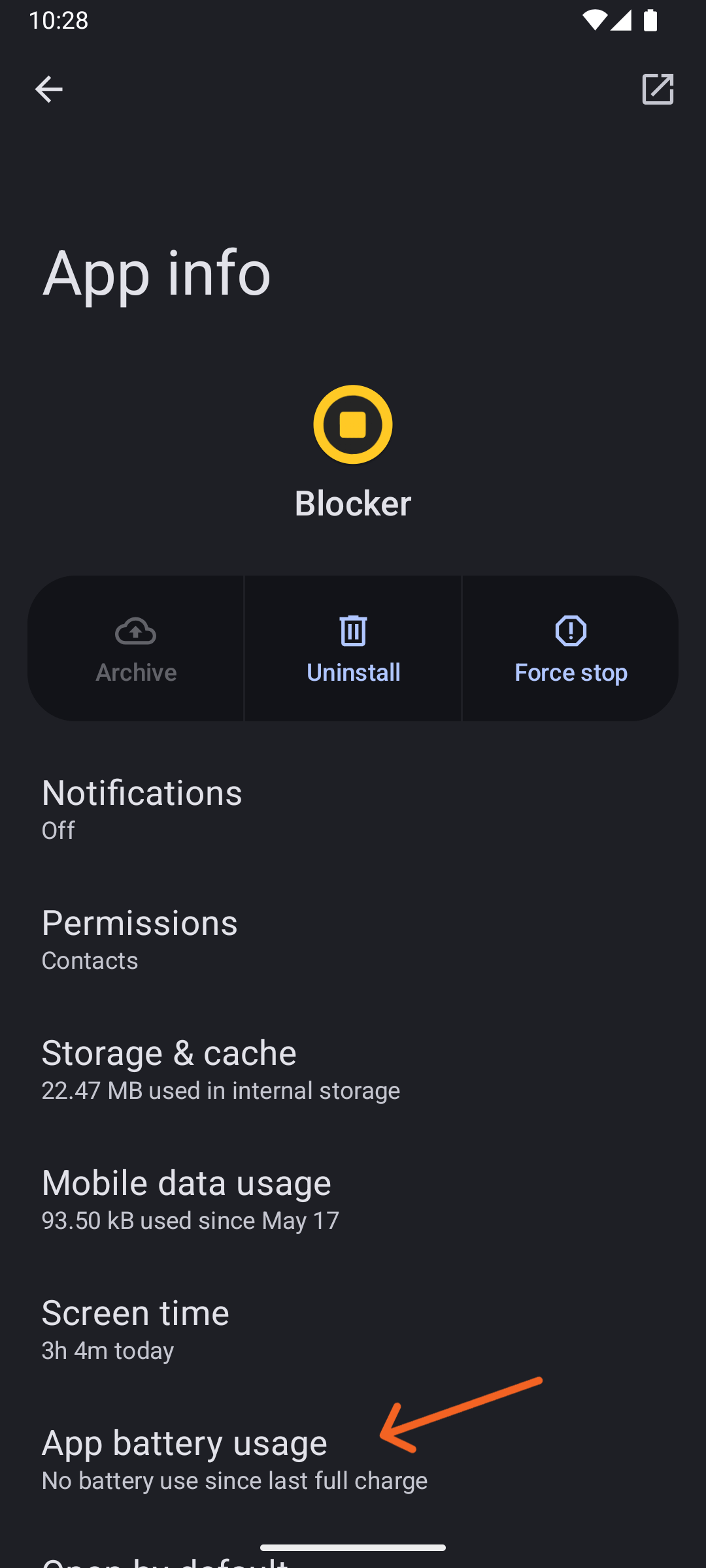
Some devices may display a different screen with manual steps instead of the modal shown above. While the interface may vary, the steps are very similar:
Manually allowing Contacts Permission
In case you previously denied the Contacts Permission, Android demands a bit more manual setup that we make straightforward to follow in four easy steps.
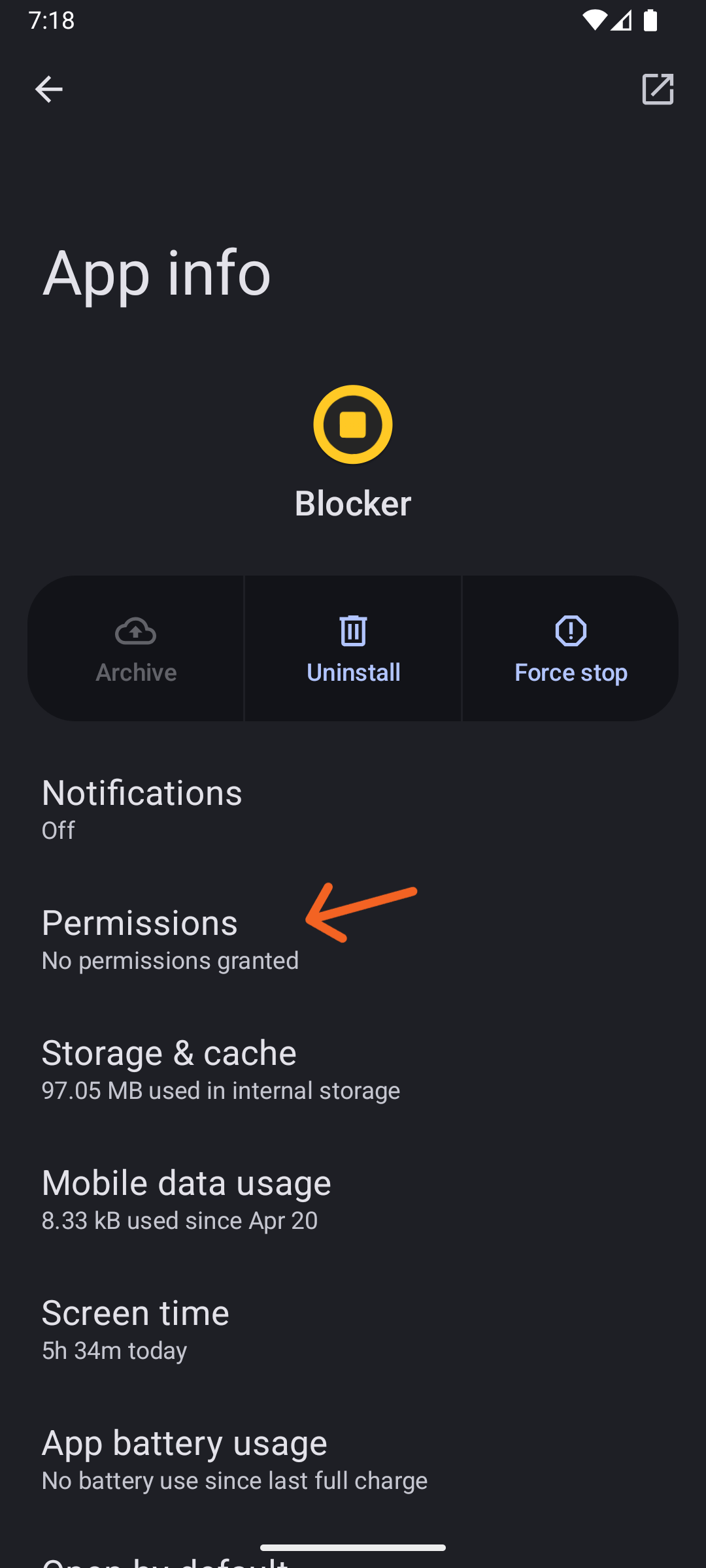
Blocker will ask you for the Contacts Permission as usual, but when you click the top banner, the App's Setup Screen will come up instead. Click on Permissions there:
Then click on Contacts and then on Allow in the following screen:
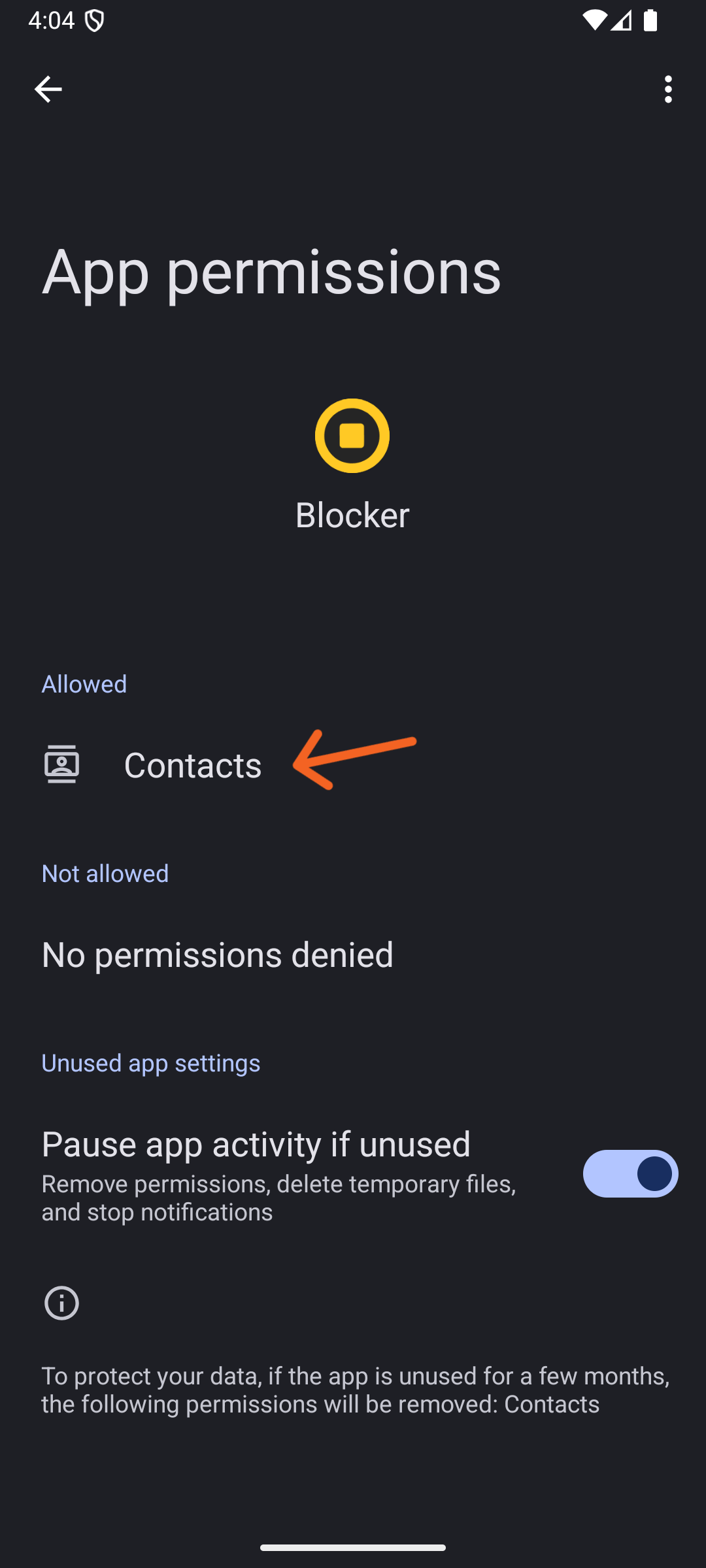
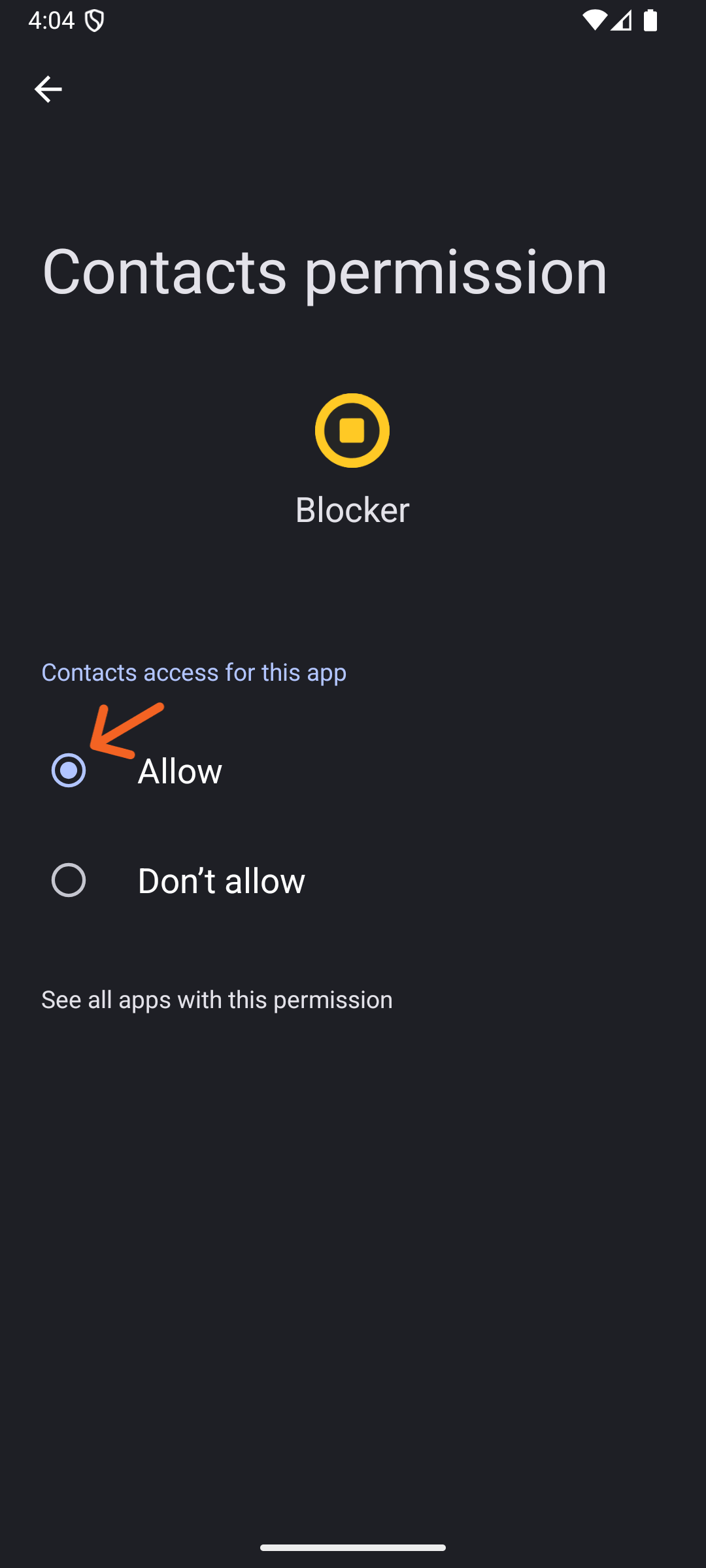
That is it! Then press the Android's back button three times to go back to Blocker.